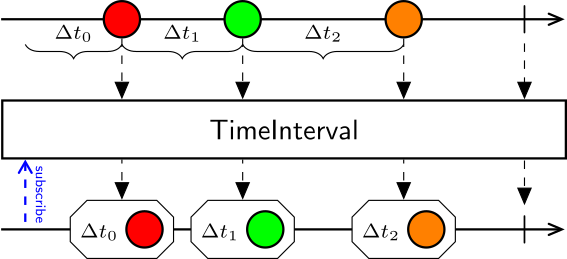
For each element in the source sequence, TimeInterval measures the time elapsed between the arrival of that element and the previous element. Time zero is the start of the sequence (i.e. the moment of subscription).
Examples
Use TimeInterval to measure the time elapsed between consecutive elements.
Measure Camera Frame Rate
When working with image sequences, TimeInterval can be used to calculate and display the camera frame rate directly. Right-clicking the visualizer window will display the FPS in the bottom status bar. Make sure to expand the window size so it is visible.
Note
This example requires the Bonsai.Vision package to be installed.